

One of the greatest features introduced in the Apple Watch series was the ability to listen to music without having your iPhone with you. This is great when you’re out running or at the gym. Because the Apple Watch Ultra has a larger speaker with a 40% volume improvement over the Series 8, people have been asking, is it possible to play music on it without headphones?
The Apple Watch Ultra requires external speakers or headphones to play music. If you don’t have Bluetooth headphones, you can use a Bluetooth speaker to play music. The Apple Watch Ultra’s speaker is not good enough to offer proper quality music playback, so Apple did not add the functionality.
Theoretically, playing music over the Watch Ultra’s built-in speaker should be possible. Many other smartwatches do so, even many low-end ones. Let’s look at why Apple chose not to do so and your alternatives when you want to listen to music or other media on your Apple Watch Ultra.
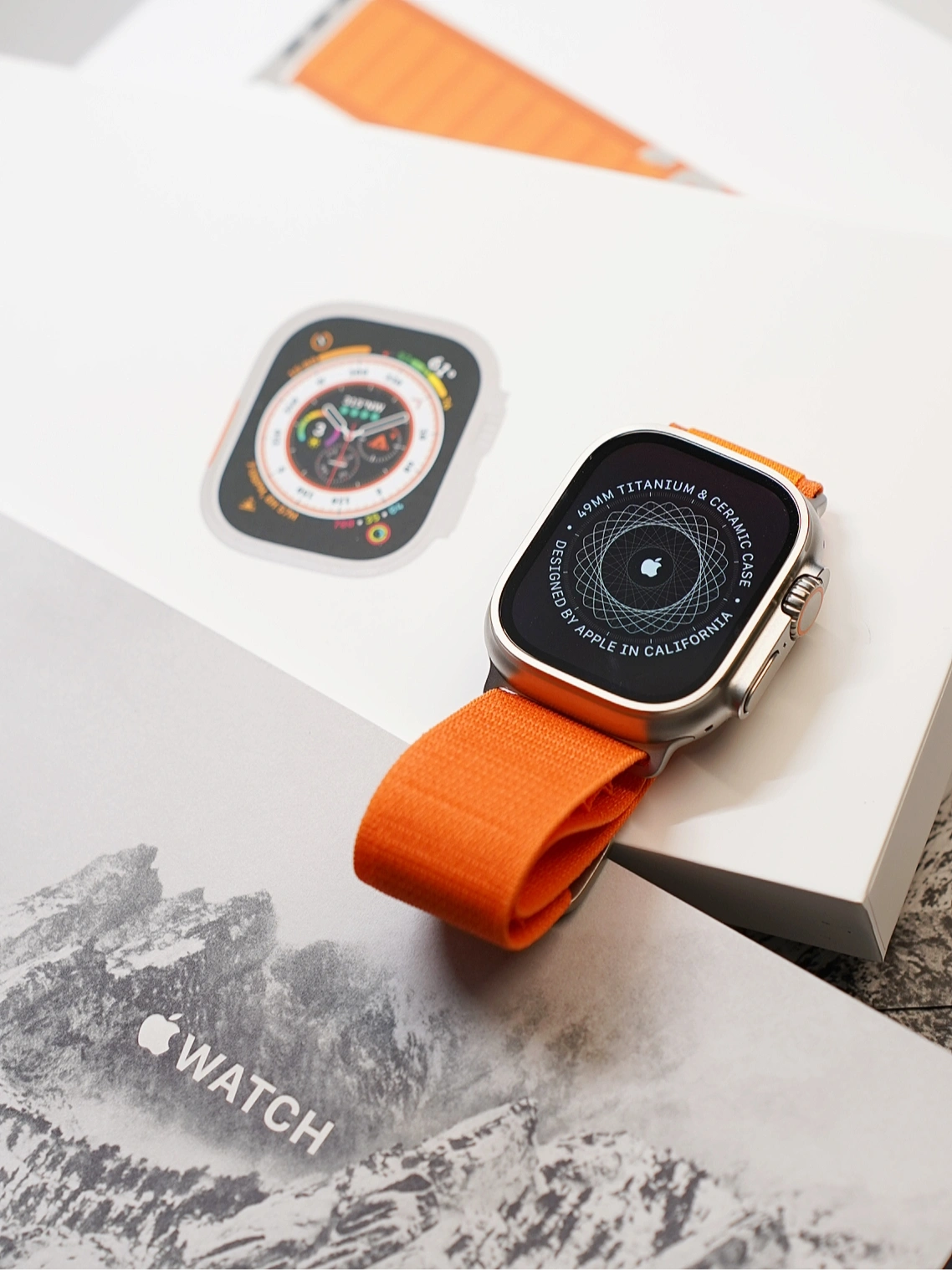
Can You Listen To Music Or Media On The Apple Watch Ultra’s Speaker?
The Apple Watch Ultra has a large built-in speaker. It’s much more prominent than the speakers in other Apple Watch models, and according to Apple, it is 40% louder than the speaker in the Apple Watch Series 8.
However, the speaker is not for listening to music, podcasts, or other media. Apple says that the speaker is meant for only the following uses:
- Notifications similar to the ones you get on your iPhone, such as messages, emails, or calls coming in.
- Alarms that you set, such as when you want to wake up in the morning.
- The excellent siren function that comes with the Apple Watch Ultra, which blasts an SOS sound over a wide area when you have an emergency.
- Siri will respond to your queries using the built-in speaker if you don’t have headphones connected.
- Phone calls will automatically work through the Apple Watch Ultra’s speaker.
- Since voicemail also depends on a phone call, your voicemail messages will play through the speaker.
- Voice memos you record for yourself or receive from someone else over iMessage will also play over the Watch Ultra’s internal speaker.
Why Can’t I Use It To Listen To Music Without Headphones?
Though Apple doesn’t expressly state all its reasons for not making it possible, we can draw some conclusions by looking at the Apple Watch Ultra and its functionality:
- The first and most obvious reason would be poor sound quality. The built-in speaker is not intended for music or high-quality audio, which has always been important to Apple. Music would sound tinny with very weak bass, and that’s not good enough to justify adding music-playing capabilities.
- Playing music on the Watch Ultra’s speaker would cause unnecessary battery drain. Apple aims to make the batteries last longer, so letting the Watch play music would be counter-productive.
- The Apple Watch is a companion device. It’s not meant to be used without the iPhone for extended periods, so Apple works from the assumption that you will not listen to most of your music on the Apple Watch Ultra.
How To Play Music On Apple Watch Ultra Without Headphones
Right now, the only way to listen to music on your Apple Watch Ultra is with some external device. Headphones and earphones are the obvious (and intended) choices, especially any model of Apple’s AirPods since you won’t even have to pair them with your Apple Watch; they will automatically sync to the Watch through your iCloud account.
However, you can use just about any type of Bluetooth audio output device with the Apple Watch Ultra. Most commonly, this would mean a Bluetooth Speaker.
How To Use The Apple Watch Ultra With A Bluetooth Speaker
To use a Bluetooth speaker with your Apple Watch Ultra, you can follow these steps:
- Power on your Bluetooth speaker and put it into pairing mode. Consult its user manual for instructions on how to do this.
- On your Apple Watch Ultra, open the Settings app.
- When Settings opens, tap on the Bluetooth option.
- Your Apple Watch Ultra should start searching for nearby Bluetooth devices.
- When your Bluetooth speaker appears in the list, select it by tapping on its name.
- Your Apple Watch Ultra should now be paired with the Bluetooth speaker.
If your music isn’t playing over the speaker, you may have to select the output device from the Music app on your Apple Watch. While you have the Music app open, tap on the Cast icon (the triangle with three rings over it) and select your Bluetooth speaker. If the speaker isn’t currently connected, this icon should open the Bluetooth settings so you can pair it.
Can I Only Use Bluetooth Devices With My Apple Watch Ultra?
The Apple Watch Ultra does not have any sound outputs like a Lightning port or a headphone jack. This means you cannot connect regular wired speakers to listen to music or other media on your Apple Watch Ultra; Bluetooth is the only way to do so.
Can I Listen To Music On My Bluetooth Car Radio?
Apple does not officially support music playback from an Apple Watch Ultra to a Bluetooth car radio. Many users claim that they try to pair their Watch with a car radio, and the radio appears in the Watch’s Bluetooth settings, but whenever they try to pair them, the connection fails. According to users on Apple’s support forum, this happens because Apple does not allow this type of connection.
However, other users on the same forum claim theirs paired and worked flawlessly. It’s likely that this has more to do with the Bluetooth version (the Apple Watch Ultra supports Bluetooth 5.3) and perhaps the way that the radio connects to the sound device than with Apple specifically blocking the functionality in the Apple Watch Ultra.
Will Apple Ever Support Music Playback Without External Devices?
It’s not impossible that Apple will eventually upgrade the speaker and sound quality of the Apple Watch so much that it would be possible to play music without connecting external headphones or speakers, but that is unlikely to happen soon.
At the moment, Apple is attempting to fit as many features into the Apple Watch as possible, and the Apple Watch Ultra is a significant step forward. But due to the nature of wristwatches, all these features have to fit into a tiny package, along with a small battery that’s still strong enough to power everything for a significant time.
This limits the amount of space that’s available for a proper speaker and sound output system.
But surely, with the size of the speakers in the AirPods, that should be possible. The problem is that the AirPods have great sound despite their small speakers because of their proximity to your ear canals and ability to block out external noise. This is not the case with the Apple Watch Ultra, so your sound quality and volume would still be low.
Conclusion
The Apple Watch Ultra can play music without headphones but still requires a connection to an external audio device such as a Bluetooth speaker. That’s because the speaker inside the Watch Ultra isn’t powerful enough to deliver high-quality audio. Currently, the best way to listen to music from any Apple Watch model is still to use headphones or earphones.